
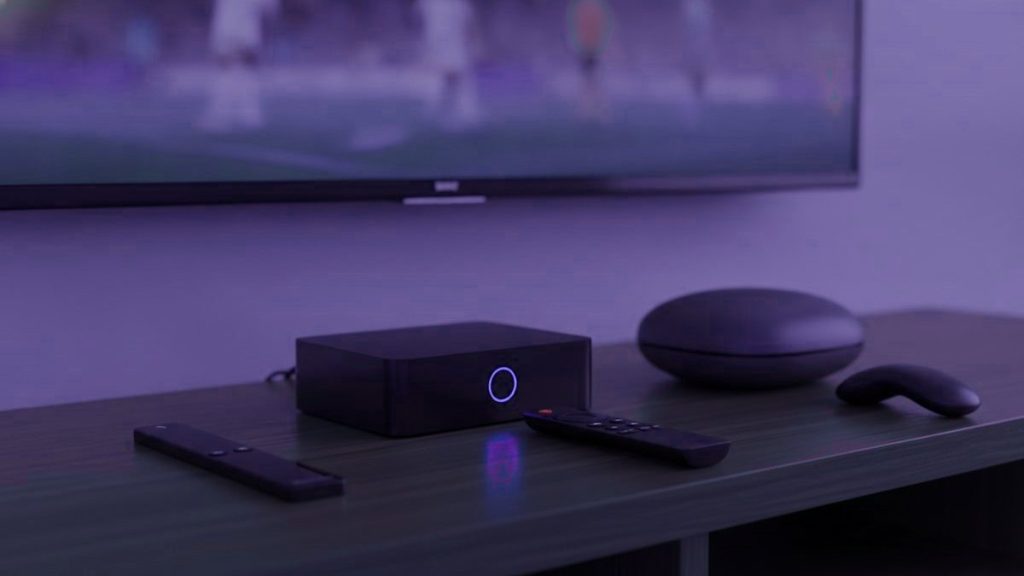
An IPTV box is unnecessary for most households, and where one is needed a $40 stick generally beats a $180 dedicated unit. Before any money is spent, take stock of what is already in the room. A smart television built since 2016, a streaming stick you already own, or a laptop will have you watching this weekend at no cost whatsoever.
The short version
Begin with the hardware you have. If something must be bought, a Fire TV Stick 4K between $30 and $50 answers almost every case. Go further only for the television the sport actually goes on.
Check what you have first
- A Samsung or LG set from 2016 onward. Both run players from their own stores, with no extra hardware at all.
- An existing Fire TV Stick or Android TV device. Already capable; it only needs a player installed.
- A phone, tablet or laptop. Ideal for testing, and a genuinely useful second screen when two fixtures overlap.
- An Apple TV. Runs IPTV Smarters Player from the tvOS store, though without multi-view.
Take the trial on whatever you already own, timed to a fixture. Establish that the service holds under load before deciding what to run it on, rather than the other way round.
What actually matters on a match day
Specifications sell boxes; three things decide whether one is any good on a Saturday.
How fast it redraws the guide. On a line-up dominated by sport you are in the guide constantly, and a slow box turns every channel change into a wait. This is where dedicated hardware and the Nvidia Shield pull away from a cheap stick.
Whether it can hold a 4K stream without thermal throttling. Sticks live in hot cabinets behind televisions, and an hour and a half of continuous 4K is a harder test than anything else they do.
Whether it can do multi-view. Which in practice means: is it Android, and can it run TiViMate Premium. No amount of processing power substitutes for the app not existing.
The options
| Device | Price | TiViMate? | Verdict |
|---|---|---|---|
| Fire TV Stick 4K / Max | $30 – $50 | Yes, sideloaded | What most households should buy |
| Chromecast with Google TV | $40 – $50 | Yes, from Play Store | Tidier to set up, nothing to sideload |
| Generic Android box | $40 – $90 | Usually | A lottery. Insist on 2 GB of RAM at least |
| MAG 5xx | $120 – $160 | No, portal-based | Plain and dependable, but no multi-view |
| Formuler Z11 | $140 – $180 | Yes, plus MyTVOnline | The pick if sport is the whole point |
| Nvidia Shield | $150 – $200 | Yes | Quickest guide of any of them, and priced for it |
| Roku | $30 – $100 | No | Not the platform for this |
Why the Fire TV Stick wins on value
It costs less than a month of most cable sports tiers, carries 4K without protest, and Amazon marks it down heavily several times a year. The one awkwardness is that Amazon does not stock TiViMate, so that has to be sideloaded through Downloader, a five-minute job our Firestick guide walks through.
Skip the non-4K Lite unless the budget is genuinely tight; it caps at 1080p, which defeats the point of paying for the Ultra HD sports feeds. And give it air: a stick sealed in a cabinet behind a television will throttle partway through a long fixture, which people invariably blame on the stream.
What the expensive boxes actually buy
A remote built for the job. Dedicated buttons for the channel list, the guide and the favourites rather than streaming controls pressed into service. On a set used every weekend that counts for more than any figure on the carton.
Nothing to sideload, ever. A MAG runs from a portal tied to the box, so there is nothing to install and nothing to update.
A guide that redraws instantly. Dedicated hardware is doing one job, where a stick is running an operating system, a store and several background services. On a long sports list with a fixture starting, that difference is the whole reason people buy them.
Against that: three to five times the price of a stick. Sound value on the main television, poor value in a spare room. Both are covered in our MAG and Formuler guide.
Formuler or MAG?
A Formuler, for most people who care about sport. It runs Android underneath, so you can use MyTVOnline or install TiViMate and get its guide and multi-view. A MAG cannot do that: it is portal-only, and no multi-view exists for it at any price.
A MAG is simpler, extremely stable, and the better choice if nobody in the household wants to configure anything ever again. That is a real benefit and worth choosing deliberately rather than by accident.
Why Roku is the wrong choice here
As hardware for mainstream streaming Roku is very good, which makes the assumption reasonable. The trouble is that it allows no sideloading and stocks almost none of the established players, with TiViMate missing altogether. What remains is a thin selection and screen mirroring, which functions and makes a poor way to spend a Saturday.
Availability also varies by country and changes without notice, so a player a friend recommends may not exist where you are. If you already own one, our Roku guide covers the two methods that work. If you are choosing now, buy something else.
Buying a generic Android box
- No less than 2 GB of RAM, and 4 if you can. Underneath that a long sports list crawls.
- Certified Android TV rather than a phone build, or the Play Store hides the television apps.
- An Ethernet port. Cabled beats wireless for live streams, consistently and everywhere.
- A named brand. Unbranded boxes frequently ship modified firmware of unknown origin, which is a poor thing to put on a home network.
- Pay no attention to core counts. Four quick cores beat eight sluggish ones, and this is precisely the specification listings mislead on.
The upgrade that beats all of them
Where buffering is the complaint, buying hardware is usually the wrong response. An Ethernet adapter at $12 resolves more streaming trouble than any box will, because stuttering is nearly always a network problem rather than a processing one. Wi-Fi at three on a Saturday, in a building where every household is streaming the same match, is exactly where live television comes apart. Run the cable before spending $180 on a box that will walk into the same wall.
Where the money is best spent
If there is a budget for this at all, spend it in this order: the connection first, then the box, then anything else. A cable to the television resolves more complaints than any hardware upgrade, and it costs a fraction of one.
After that, spend on the television the household actually watches sport on and leave every other screen alone. A single good box on the main set plus whatever already exists elsewhere serves almost everybody better than three mediocre boxes bought at once.
What we would buy
Nothing to begin with. Test on whatever is already there, during a fixture. Then a Fire TV Stick 4K with an Ethernet adapter if the set is old or sluggish, which comes to roughly $50 and settles the overwhelming majority of cases. A Formuler for the main television if sport is the reason the household subscribed at all.
All of them work with a NIGMATV account, issued as a standard Xtream Codes login. Instructions for every device are in the setup hub, and the prices are on the pricing page.
Frequently asked questions
Do I need to buy a box at all?
Usually not. A Samsung or LG set from 2016 onward runs a player from its own store, and an existing Firestick, Apple TV, phone or laptop will all work. Test on what you own during a real fixture and decide about hardware afterwards, once you know the service is worth keeping.
Which box is best for sport specifically?
A Formuler Z11 if this is the main television, because it runs Android underneath and therefore TiViMate with multi-view, which a MAG cannot do at any price. For most households a Fire TV Stick 4K at $30 to $50 is entirely sufficient and a fifth of the cost.
Why not a Roku?
No sideloading, and its store carries almost none of the established players, with TiViMate absent entirely and availability differing by country. Mirroring works as a fallback and makes a poor daily experience. Roku is good hardware for other things and the wrong choice for this.
Will a faster box stop the buffering?
Rarely. Most stuttering is a network problem rather than a processing one, so a $12 Ethernet adapter fixes far more of it than a $180 box will. Try the cable first, especially at the hour on a Saturday when the whole street is streaming the same match.
Does a stick overheat during a long match?
It can, particularly sealed in a cabinet behind a television, and ninety minutes of continuous 4K is the hardest test a stick faces. If the picture degrades late in a fixture rather than at the start, heat is the likeliest cause. An HDMI extender that moves it into open air costs a few pounds and solves it.
Set up before the next kick-off
Order on WhatsApp and the login lands in under 15 minutes, backed by a 7-day refund window.
Related articles
How Much Internet Speed Live Sport on IPTV Really Needs
How much bandwidth live sport on IPTV needs per HD, FHD and 4K stream, how to add up a household, why stability…
September 19, 2026How to Put Several Live Games on One Screen With IPTV
Watching two, three or four games at once takes more than the right app. How TiViMate multi-view works, why every tile uses…
September 19, 2026Why the Score Reaches Your Phone Before Your IPTV Stream
An IPTV sports stream normally runs 15 to 60 seconds behind live. Where those seconds come from, how to trim them with…